For years, IEC 62443 zone and conduit modeling was something plants said they’d get to. It sat in the same drawer as the disaster recovery plan nobody had tested and the asset inventory that was current as of some project three system integrators ago. That drawer is now getting opened by people who aren’t on your payroll. Cyber insurance underwriters and a growing list of automation OEMs have moved from asking plants to attest that they follow good segmentation practice to asking them to produce the diagram, the conduit list, and the risk basis behind it — often with a defined window to do it in as a condition of binding coverage or renewing a support contract.
That’s a real problem for most brownfield sites, because the honest answer to “what’s your zone and conduit model” is usually “we don’t have one, we have a network that grew for twenty years and mostly works.” The Purdue-model poster your integrator hung in the control room is aspirational, not descriptive. This piece is about closing that gap for real, on a line that can’t go down for a redesign, in a timeframe that satisfies an underwriter or an OEM contract clause rather than a textbook exercise.
Why the request changed from “policy” to “evidence”
Underwriters got burned by paper compliance. A signed cybersecurity policy tells them almost nothing about actual exposure; it’s the security equivalent of an attestation letter. IEC 62443’s zone/conduit construct — grouping assets by common security requirements into zones, then explicitly documenting and controlling every path between zones as a conduit — gives an underwriter something concrete to price against: how many trust boundaries exist, whether they’re enforced by an actual device (firewall, unidirectional gateway, managed switch ACL) or just by an org chart assumption, and what happens if one zone gets compromised. Automation OEMs want the same evidence because their support contracts increasingly assume remote access into your environment, and they don’t want to inherit liability for a flat network they didn’t design.
The shift matters practically because “we have a policy” used to be enough friction to get through underwriting. Now the ask is a real artifact, reviewed by someone who knows what a legitimate conduit diagram looks like versus a Visio drawing done the week before the audit. That distinction is the whole game.
Start with the network you actually have, not the one you were sold
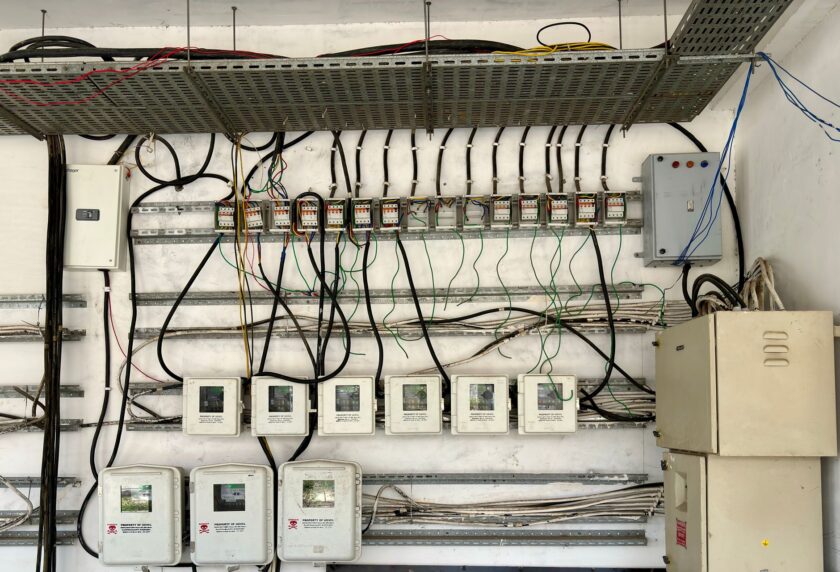
The textbook zone diagram assumes a clean Purdue hierarchy: Level 0/1 field devices, Level 2 supervisory, Level 3 site operations, a DMZ, then the enterprise network above it. Real brownfield lines rarely look like that. What you actually find:
- A flat plant VLAN where PLCs, HMIs, and a few servers all sit on the same broadcast domain because that’s how the line was commissioned in a hurry a decade ago.
- Direct PLC-to-PLC links — often serial-to-Ethernet bridges or unmanaged switch hops — that were added for a specific interlock or line-balancing function and never made it into any as-built drawing.
- A legacy HMI or SCADA remote-access VPN that an integrator or machine builder set up years ago, still active, sometimes still using credentials nobody has rotated.
- Historian or MES connectivity that crosses from OT into IT using a path that predates any formal DMZ design.
None of that is unusual, and none of it is a reason to panic. It is, however, the actual starting material for your zone model. Building the diagram means discovering this topology before you can segment it, and discovery is where most of the real time goes — not the diagramming itself.
Passive discovery before anything else
Don’t start with a network scan tool that sends active probes into a live PLC’s TCP stack; plenty of legacy field devices have fragile network stacks that don’t handle unexpected traffic gracefully, and an ill-timed scan has taken down HMIs before. Start passive: span or mirror ports on core switches, feed the traffic to an OT-aware monitoring tool, and let it build a real communication map over a representative production cycle — ideally through at least one full changeover, shift change, and any batch or recipe download event, since that’s when you’ll see conduits that don’t show up during steady-state running.
Cross-reference what the passive capture shows against whatever as-built documentation exists, and expect meaningful gaps. Those PLC-to-PLC interlock links rarely show up in an IT-drawn network diagram because they were never IT’s problem to draw.
Drawing zones that reflect risk, not just physical layout
Once you can see the actual traffic, group assets into zones based on shared security requirements and consequence of compromise — not just “these are on the same switch.” A safety PLC governing a press or a pressure vessel belongs in a different zone than a line-monitoring HMI even if they’re currently on the same flat subnet, because the impact of compromise is categorically different. This is where a lot of vendor-supplied 62443 exercises go generic: they’ll zone by device type or by Purdue level reflexively, without asking what actually happens if that zone is breached. An underwriter reviewing your diagram is going to ask exactly that question.
Every conduit — every path between zones — needs an entry describing what traffic crosses it, why, and what enforces the boundary. “Firewall rule permitting OPC UA from historian to Level 3 aggregation” is a conduit. “Everything can reach everything because it’s all one VLAN” is the finding, not the answer, and it’s fine to document it as exactly that in your current-state diagram. The point of the exercise isn’t to pretend you’re already segmented. It’s to show you know precisely where you aren’t, and that you have a real plan to close it.
Phasing segmentation without touching production
You will not get budget or downtime approval to re-architect a live line’s network in one pass, and you shouldn’t try to. A defensible approach phases the work:
- Document and enforce logically first. Before touching physical topology, use switch ACLs and VLAN reassignment where possible to start enforcing zone boundaries you’ve already mapped, on hardware you already have. This buys real risk reduction with essentially zero downtime risk.
- Kill or contain the legacy remote-access paths. That old vendor VPN is usually the highest-consequence, lowest-effort fix: put it behind a jump host with MFA and logging, or retire it entirely if the OEM relationship has changed. This is often the single item underwriters flag hardest, because unmonitored third-party remote access is a well-understood breach pattern in OT environments.
- Insert physical enforcement at conduit boundaries during planned maintenance windows. Firewalls or unidirectional gateways between zones go in during scheduled shutdowns, not live production, and get validated against the same traffic baseline your passive discovery captured — so you can prove you didn’t break the interlock nobody documented.
- Re-baseline and re-diagram after each phase. The zone/conduit document is not a one-time deliverable. It’s a living artifact that has to match the network as it evolves, or it becomes exactly the paper-compliance problem underwriters stopped accepting.
What “good enough” looks like on a deadline
If you’re staring down a renewal window, the realistic target isn’t a fully segmented, textbook-Purdue plant. It’s an honest current-state zone/conduit diagram, a documented list of every conduit with its enforcement mechanism (including “none, currently” where that’s true), and a phased remediation plan with the highest-consequence items — unmonitored remote access chief among them — addressed first. Underwriters and OEM security teams have seen enough real plants to know nobody arrives at this fully segmented. What they’re actually pricing is whether you know your own network and have a credible plan, versus whether you’re guessing. Get the honest diagram done first. Everything else is sequencing.
This article was written with the assistance of artificial intelligence. While we aim for accuracy, the information may be incomplete, out of date, or incorrect, and should be independently verified before you rely on it for any decision. It is provided for general information only and does not constitute professional advice.